
Integration guides
Dropbox automation: organise files without losing the source
Plan folder access, file identity and safe retry behaviour for document workflows using Dropbox.
By AutomateHQ · Updated · 2 min read
Before you start
Define the folder and file actions first. Keep a source reference, use the least access the workflow requires and decide how renamed or repeated files should be handled.
- 01Define the task
- 02Connect safely
- 03Test exceptions
- 04Assign an owner
Limit access to the folders you need
Dropbox offers scoped OAuth access. Check whether app-folder access is sufficient or whether the workflow needs a broader authorised location. Do not request full access just to watch one intake folder.
Clarify what the automation can read, create, move or delete. A process that only prepares an index should not also need permission to remove source documents.
Track incoming documents by their source
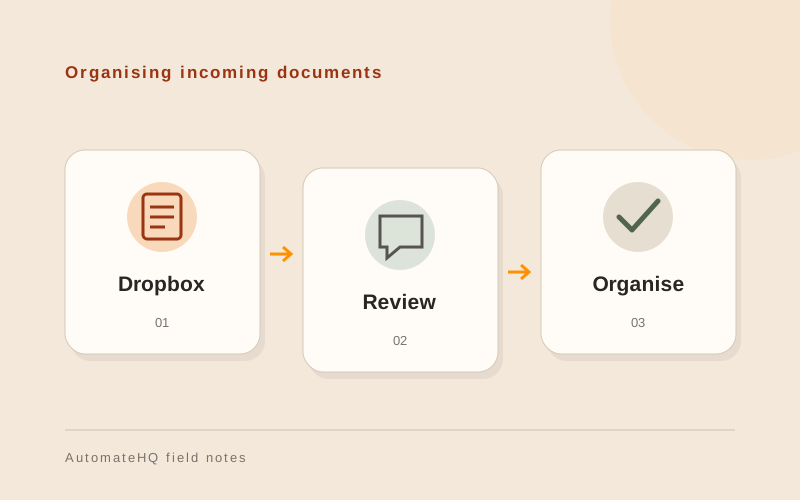
A document intake workflow can detect a file, create a review task and store its source link in a tracker. Keep processing state separate from the folder name so a rename does not look like a brand-new document.
Agree a naming convention and conflict policy. Two files called invoice.pdf should not silently overwrite each other and a revised file may need review rather than a second accounting entry.
Test renames and interrupted downloads
Test a renamed file, a duplicate upload, a large file, revoked access and an interrupted download. Verify that the workflow can resume without losing the original.
Use a test folder and recoverable actions. Check the destination permissions before moving a file, since access may differ from the source folder.
Keep the original file traceable
Save the source reference alongside the processing result. A reviewer should be able to open the document that produced the entry, even after the intake queue has moved on.
Assign someone to check failed downloads and inaccessible files. Before retrying, check whether the destination record already exists.