
Integration guides
OpenAI workflow integration: keys, costs and human checks
Plan an AI-assisted business workflow with protected API access, bounded usage and measurable output quality.
By AutomateHQ · Updated · 2 min read
Before you start
Keep API keys on the server, define a narrow task and test outputs against reviewed examples. Add usage monitoring and a route to a person when the result cannot be trusted.
- 01Define the task
- 02Connect safely
- 03Test exceptions
- 04Assign an owner
Define the task and protect the credentials
OpenAI's production guidance covers secure API access and operational planning. Use protected environment or secret settings for credentials and separate development from live usage where appropriate.
Choose the task before choosing the model. Extracting a small set of fields, classifying a request and writing a customer response need different evaluation criteria.
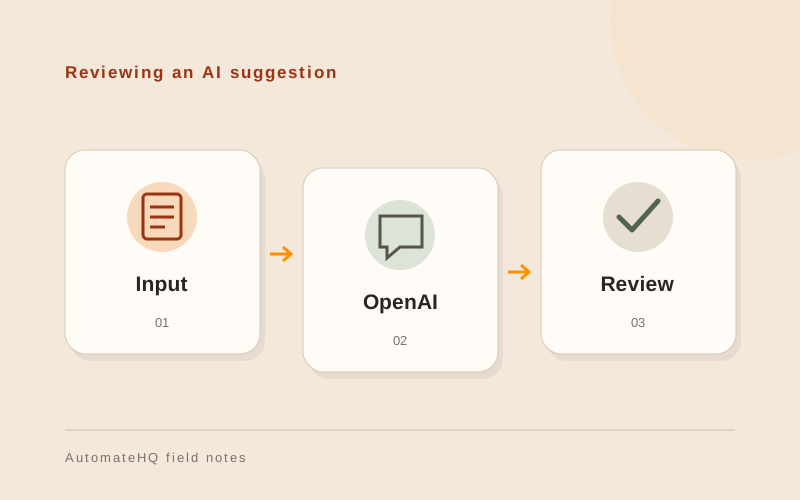
Review a suggested enquiry summary
An enquiry workflow can ask a model to suggest a topic and draft an internal summary. Validate the topic against the allowed list and show the original message to the person reviewing the summary.
Do not let text from a customer redefine the system's permissions or instructions. Keep allowed actions and required approvals outside the model response.
Measure corrections and usage cost
Test incomplete inputs, unexpected languages, deliberately misleading text and unavailable API responses. An automation should be able to say it needs review instead of inventing a missing fact.
Measure correction rate, review time and usage cost. Set practical limits and alerts and repeat the evaluation when you change prompts or models.
Record changes that affect the output
Keep the prompt and model settings with each workflow version. When output quality changes, the owner needs to compare the new version against the examples used before launch.
Set an owner for usage alerts and a way to pause requests. Retain enough information to investigate failures while keeping customer records out of unnecessary logs.